DevDeck
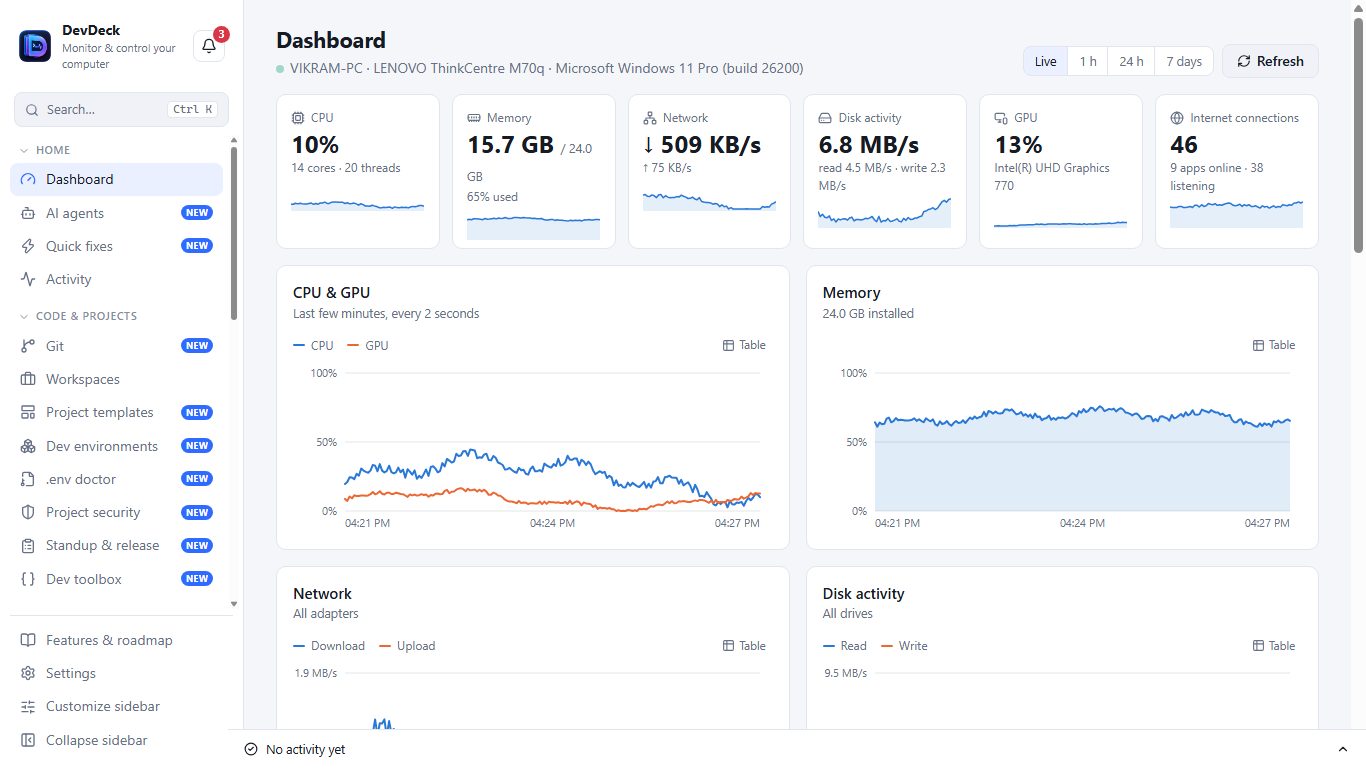
The control panel for developers. See what’s running on your computer, fix your setup, and run your projects like in production, in one app.
Free · Windows 10 / 11 and macOS 12 or newer · No account, no tracking
See what’s running
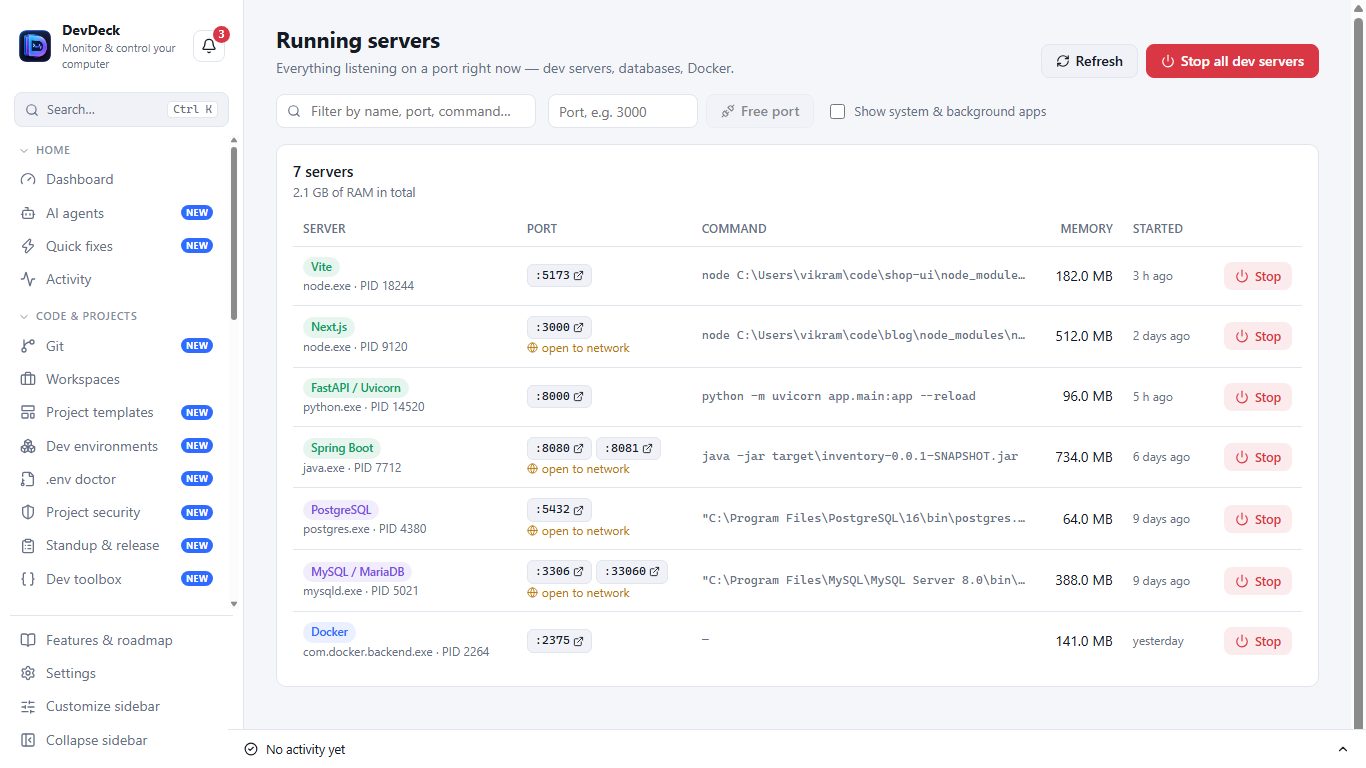
Every server and port with the project that started it and a Stop button. Databases and services in one place. Why a server stopped, in plain words.
Fix your setup
Install Node.js, Python, Java, .NET and Go, see every version, fix PATH and .env problems, and start new projects from templates that run on the first try.
Git and pull requests
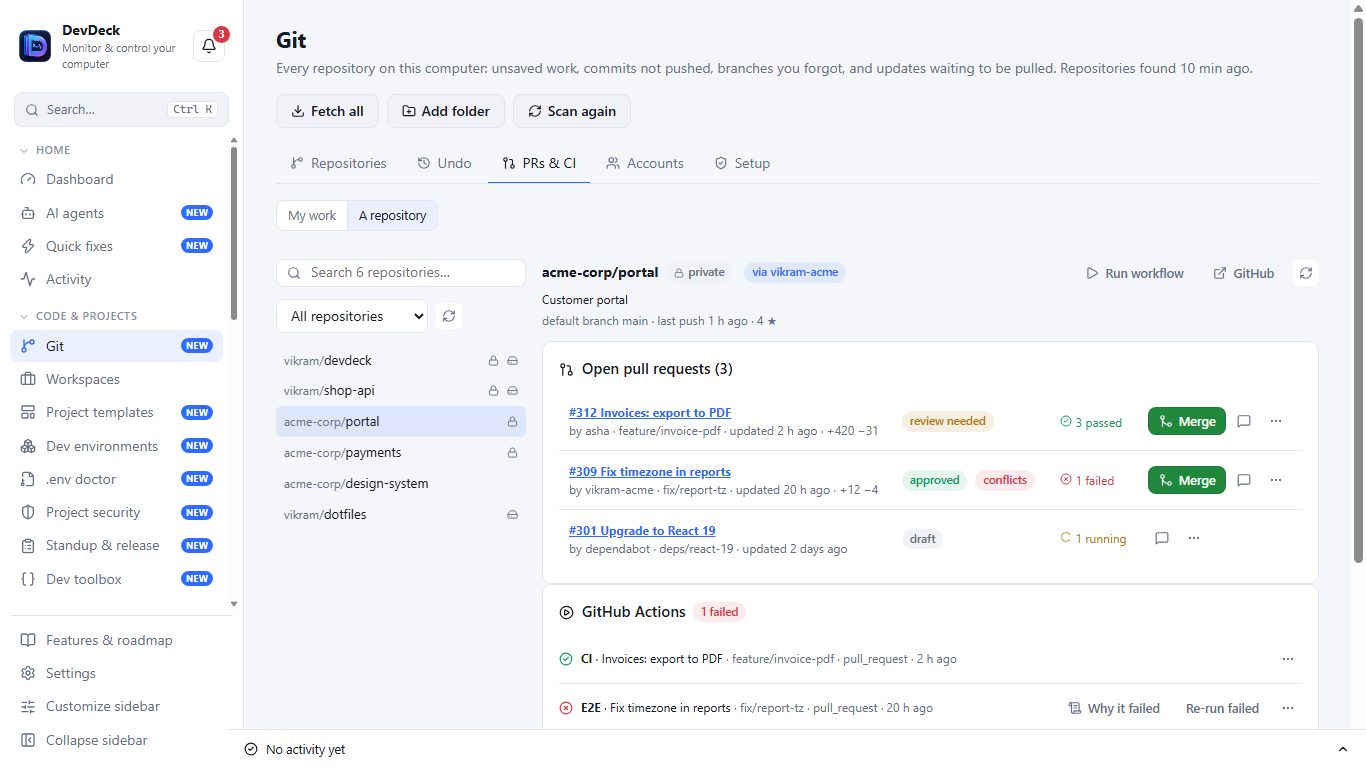
Pull requests and CI from all your GitHub accounts, merge and review, resolve conflicts side by side, use work and personal accounts on one PC.
Run it like production
Databases and queues in one click with Docker, deploy your project locally with HTTPS and rollback, load tests, failure drills and monitoring.
Share for testing
One temporary link so a tester anywhere can try the app and API running on your computer, with a password and a time limit.
AI coding agents
Claude Code, Codex, Cursor and others: sessions, costs, changes and MCP servers in one place. Optional Ask AI explains unknown programs using your own Claude Code.
Install
Windows
Microsoft Store (recommended: installs without warnings and updates itself), or the Setup .exe.
macOS (Apple Silicon and Intel)
Paste this into Terminal. It downloads the right version, checks it, and installs it into Applications:
curl -fsSL https://raw.githubusercontent.com/vikram-capsitech/devdeck-releases/main/install.sh | shOr brew install --cask vikram-capsitech/tap/devdeck, or the .dmg from the downloads page.
Private by design
No account, no analytics, no ads. What DevDeck finds on your computer stays on your computer. It only goes online to check for updates, or when you use a feature that needs it. Privacy policy